Skip to content
Halocline
Factory planningWorkplace designCustomer storiesPricing
Start for free
Helpdesk
Submit a request
  • First steps
  • Application examples
  • System setup
  • Help
  • Data & Collaboration
  • Layout planning
    • Shop Floor & Production Hall
    • Work Areas & Variants
    • Library & Load Carriers
    • Select & arrange objects
      • Layout context menu at a glance: actions and properties
      • Adjusting objects: move, rotate, scale, duplicate
      • Grouping objects and ungrouping them
      • Entering a group: editing a group without ungrouping it
      • Selecting objects: single, multiple and volume selection
      • Deleting objects and undoing a deletion
      • Duplicating objects: copy and paste
    • Creating and designing objects
    • Menus, views and settings
    • Measuring, Labeling, and Documenting
    • Workstation & Reach Zone
  • Process Analysis
  • Design for Manufacturing
← Select & arrange objects

Deleting objects and undoing a deletion

1 min read

Available in
  • Desktop

On this page

  1. Function
  2. Instruction
  3. Restore

Function#

With the delete function you can remove selected objects from your shopfloor.

Instruction#

  • Use the Select tool to select the objects you want to delete.
  • Click the Delete button in the context menu.
  • This will delete all the elements that were in your selection.
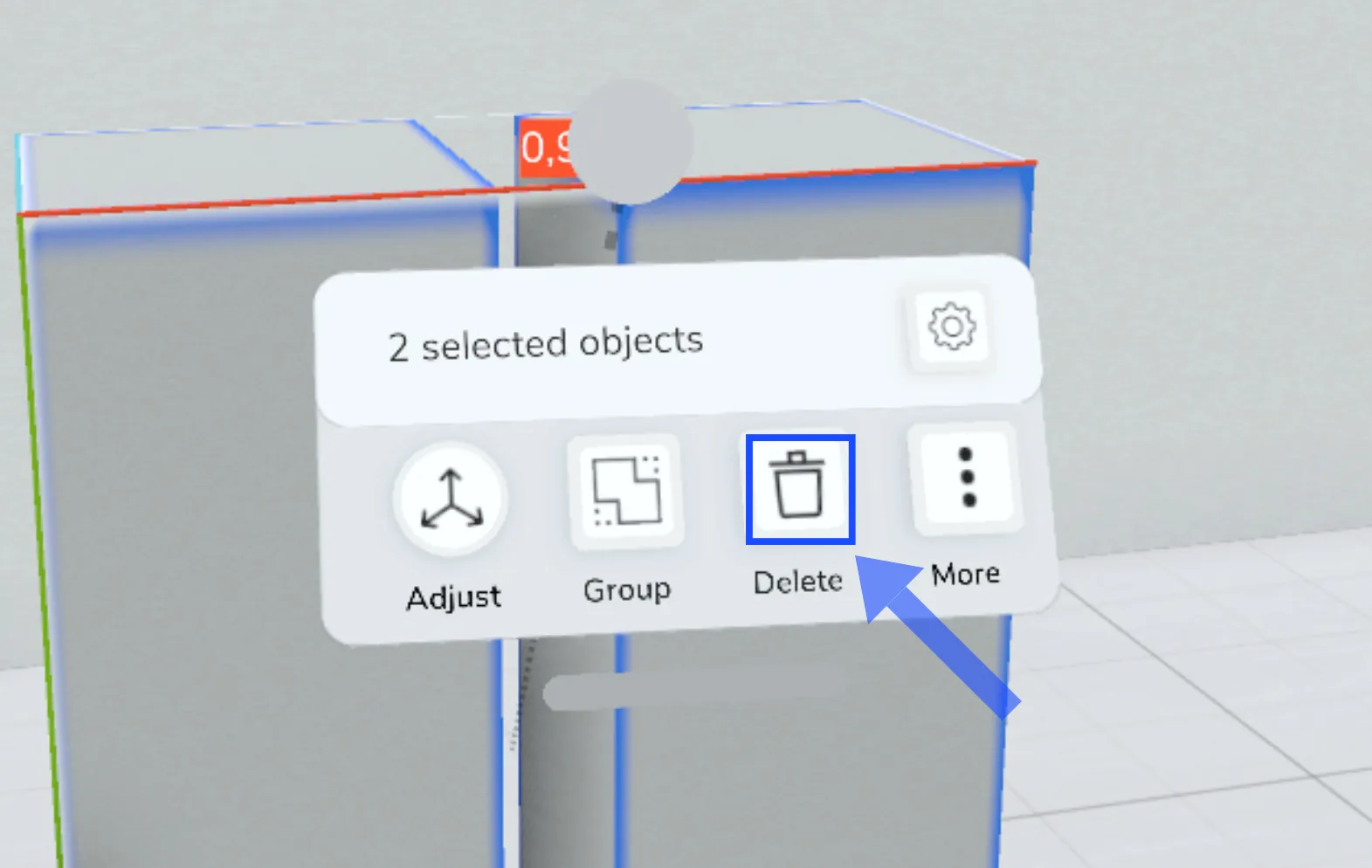
Context menu for “2 selected objects”: the Delete button is outlined in blue and marked by an arrow, next to Adjust, Group and More.

Restore#

  • If you want to undo the deletion, you can use the "Undo" function in the menu.

Related to

  • How-to
← Previous articleSelecting objects: single, multiple and volume selectionNext article →Duplicating objects: copy and paste

Was this article helpful?

Still have questions? Submit a request

↑ Back to top
Halocline

Halocline GmbH & Co. KGNetter Platz 3, 49090 Osnabrück, Germany

+49 541 961045-0info@halocline.io

Product

  • Factory layout
  • Workstation design
  • All results
  • Pricing

Resources

  • Customer stories
  • Live demos
  • Knowledge
  • Helpdesk

Company

  • News
  • Contact
  • Educational organizations
  • Research projects

© 2026 Halocline. All rights reserved.

Legal noticeData protection