CAD import options: CAD (coarse), CAD (fine), boxes, parts
2 min read
- Team
- Professional
- Desktop
For efficient VR planning in Halocline, the box import is suitable for equipment, while “CAD (Fine)” is a good fit for detailed components. This reduces computing load and enables flexible adjustments. The “Parts” option can be helpful for models without usable structure.
Instruction#
When importing CAD data into Halocline, several representation types are available. Depending on the purpose and structure of your model, one option may be more effective for ensuring smooth VR performance and structured planning. A deliberate choice of import type supports clarity and reduces computing demands.
Recommendation for your planning#
- For equipment like shelves or workbenches, the box import is a suitable choice. These objects can be flexibly modified, scaled, or extended.
- Products and components often benefit from being displayed using CAD (Fine).
Overview of CAD import options#
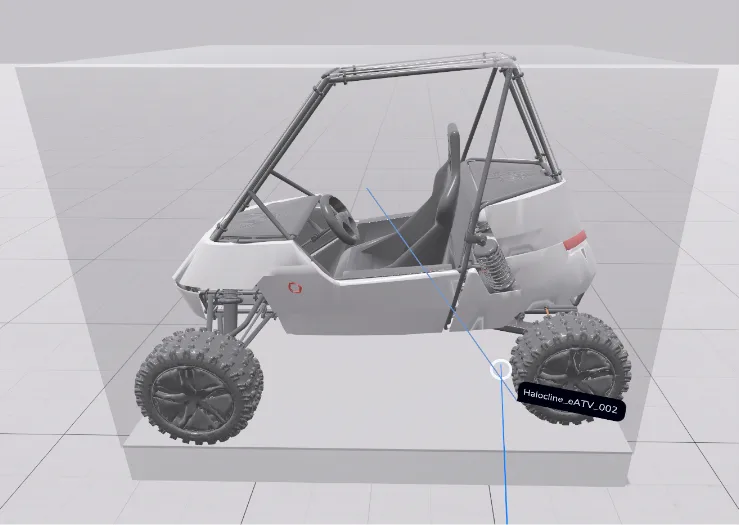
CAD (Coarse)#
- Representation: Model shown with simplified outer contour
- Collision bounds: Match the external dimensions
- Editability: Not decomposable or scalable, but movable, rotatable, and colorable
- Interaction in Performance: Movable
- Typical use cases: Machines, systems, or robot cells where outer dimensions are sufficient for visualization and collision planning
CAD (Fine)#
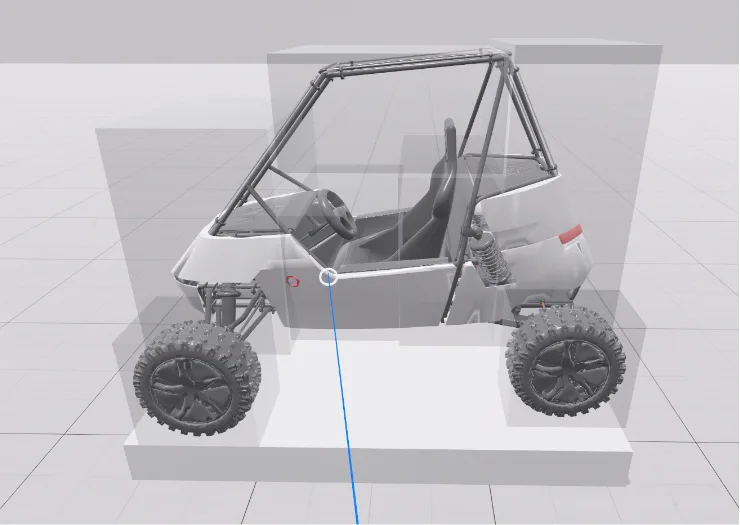
- Representation: Accurate reproduction of the model geometry
- Collision bounds: Based on geometry
- Editability: Same as CAD (Coarse), but with greater detail
- Interaction in Performance: Movable
- Typical use cases: Product components or parts where precise geometry is important
Boxes#
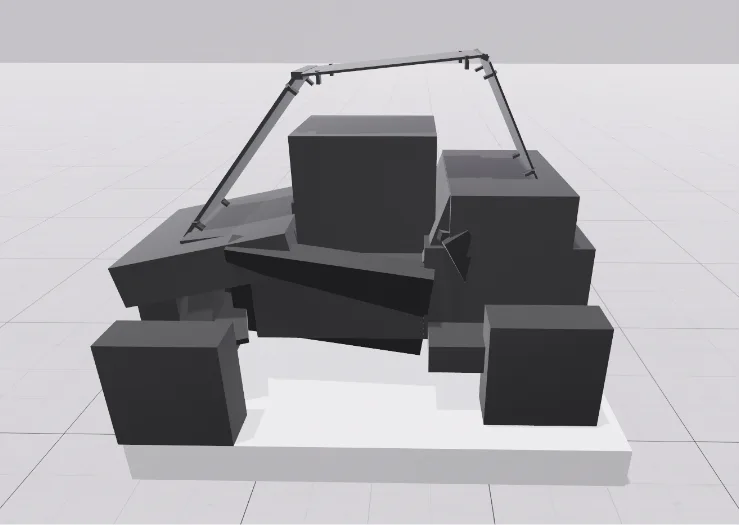
- Representation: Abstraction of the model into simple geometric shapes
- Collision bounds: Based on the model’s hierarchy
- Editability: Decomposable, scalable, extendable, movable, and colorable
- Interaction in Performance: Static
- Typical use cases: Equipment like shelves, assembly carts, or fixtures that may be modified or extended during planning
Parts#
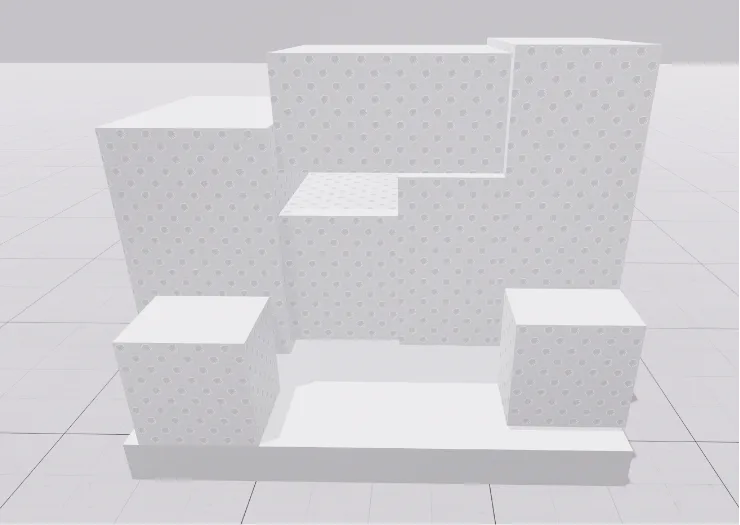
- Representation: Geometry-based box approximation, independent of model structure
- Collision bounds: Based on geometry
- Editability: Movable, rotatable, colorable
- Interaction in Performance: Movable
- Typical use cases: CAD models without usable hierarchy – geometry remains recognizable without relying on original structure
Performance notes#
Highly detailed models, such as those using “CAD (Fine),” require more processing power. In VR, this can result in longer load times, lag, or delayed saving. Using boxes or parts reduces this load significantly.
Depending on the situation, it’s useful to consider where detailed models are helpful and where a simplified version is sufficient.
Flexible editing after import#
When a model is imported as boxes, many editing options are available afterward. Larger boxes can be removed to reveal underlying structures, allowing the plan to be refined step by step.
For targeted import of individual parts, Halocline Assembly offers a practical way to select relevant components.
Disable collision detection#
In the Layout VR settings, the collision detection for CAD imports can be disabled. This makes it easier to use models as a reference and rebuild or adapt them in Halocline – especially when working with abstracted box representations.
Import of individual components#
If you only want to import parts of a CAD model into Halocline Layout, use Halocline Assembly to select parts.
Related to