Assembly VR menu at a glance: tabs and quick access
1 min read
- Professional
- Desktop
The menu gives you access to the VR tools tabs, to adjust your product data, the assembly and the export options of Halocline Assembly.
Functions#
Menu Operation in VR#
You can open the menu via the menu button on one of the controllers and operate it with the right controller. By clicking with the trigger, you navigate through the tabs and select actions. Pressing the menu button again closes the menu.
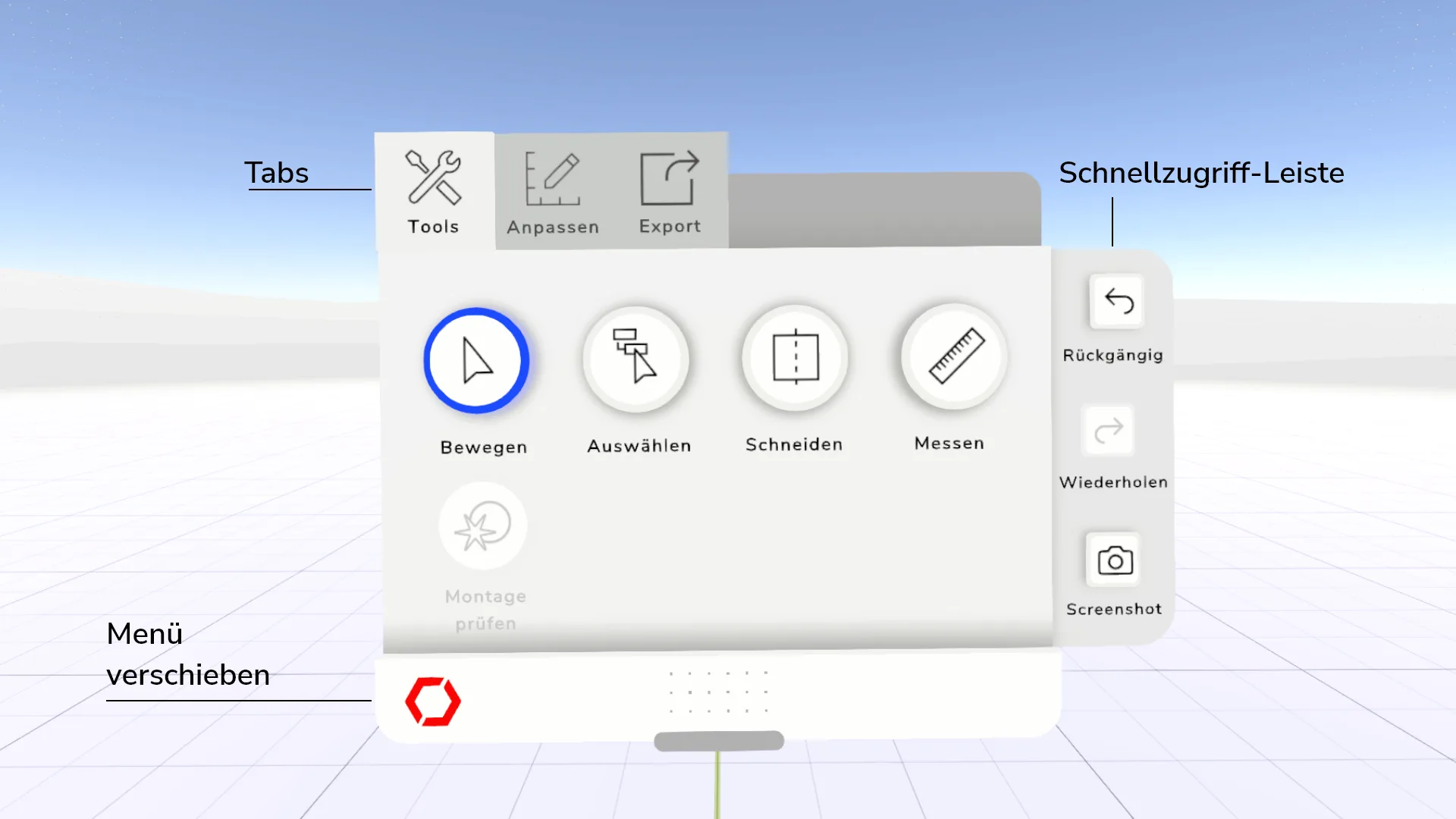
Move Menu#
If the menu opens at an unsuitable position, you can grab it at the white bottom edge and move it by holding down the trigger.
Tabs#
There are three different tabs at the top of the menu
-
Tools:
Tools for interacting with product data. -
Adjust:
Functions for customizing product data. -
Export:
Export functions for layout -
Assembly:
Function for preparing and documenting assembly sequences
Quick Access Bar#
On the right side of the menu is a bar with three actions available in each tab. By clicking on the arrow buttons you can undo or redo actions. With the camera button you can start the screenshot function.