Assembly tutorial: basics and adjusting product data
1 min read
Available in
- Team
- Professional
- Desktop
In the tutorials you will learn all the important functions of Halocline Assembly.
Before you start with a tutorial in VR, check out the following articles:
There are currently three different training scenarios in total for Halocline Assembly:
Basics – Learning content:#
Adjust product data – Learning content:#
Download & Import#
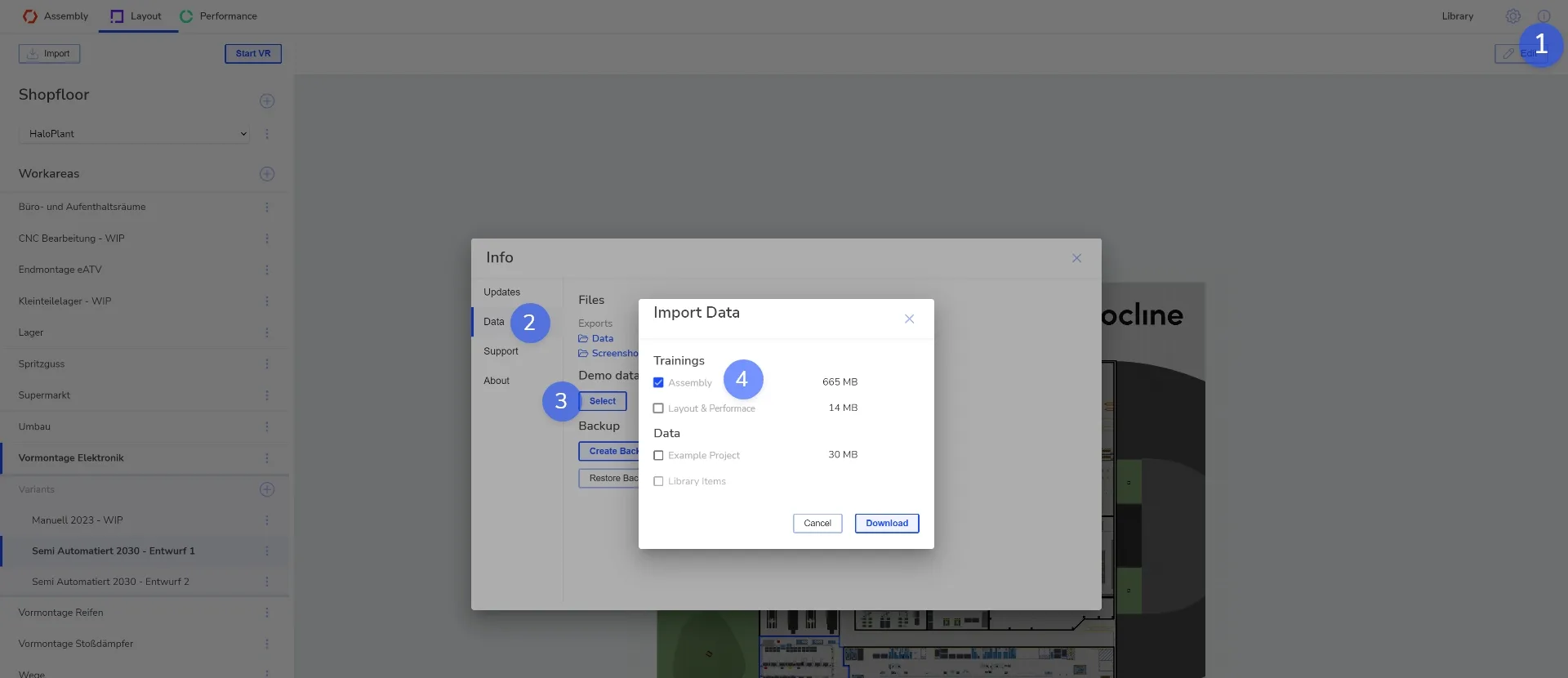
For this step your PC must be connected to the internet. If this is not the case, see "Offline instructions".
Open the info window by clicking the info icon in the upper right corner
Click on the category "Data"
Click on "Select" under Demo Data
Select "Assembly Tutorial", click on Download and wait until it is finished
Related to