Assembly tools in VR at a glance
1 min read
Available in
- Desktop
To take actions in Halocline Assembly, you can assign different tools to the right controller.
Instructions#
Menu > Tools#
Open the main menu in VR. Under the tools tab of the menu you can use the following tools:
The tool determines which actions you can perform with the controller.
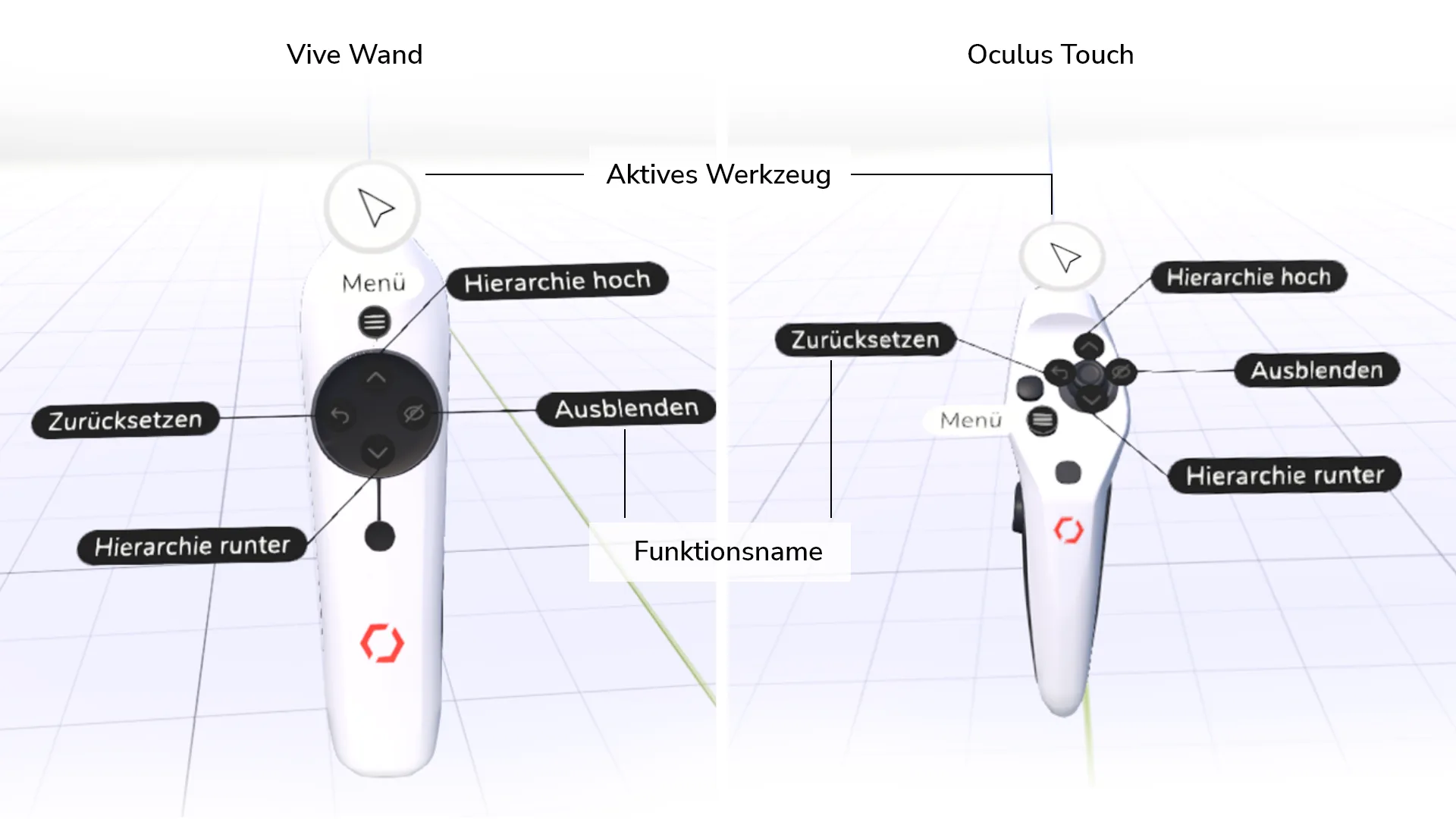
Information about the current tool is displayed on the controller. Display hints about tool functions by placing your thumb on the touchpad/joystick.
Note:
By default, the move tool is assigned to the right controller when it is first launched. The left controller is always assigned the teleport tool.
Tip:
You can also use Undo and redo from the quick access bar without opening the menu on the left controller by moving the touchpad/joystick left or right.