STEP export and glTF for your 3D layout.
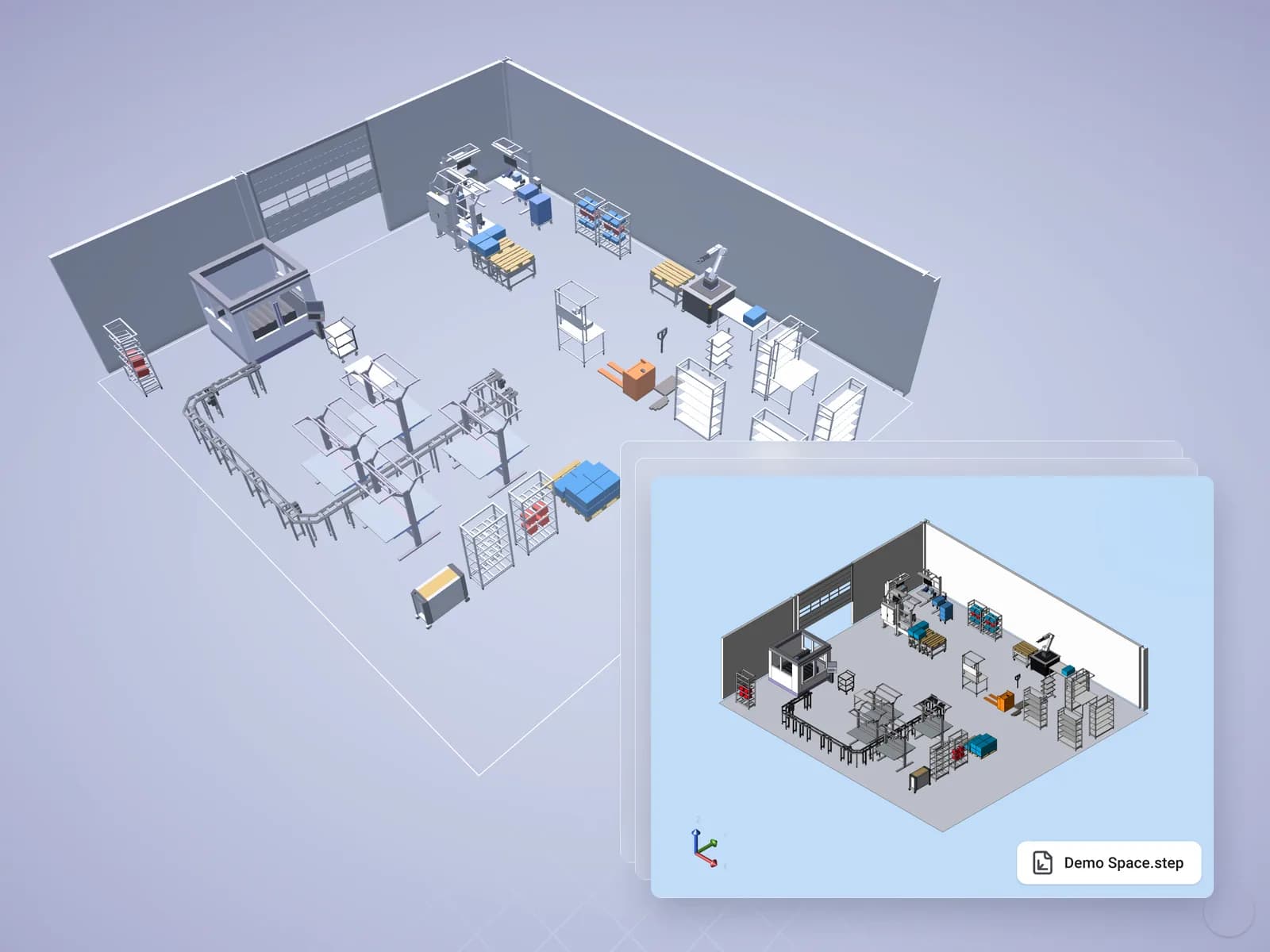
Pass your 3D model on to design, visualization and partners. Halocline exports the layout or single objects as STEP and glTF.
Why it matters.
The model stays locked in one tool
Partners and design can only look at screenshots of the 3D layout.
Geometry is rebuilt
Equipment you designed is modelled again for the workshop or a supplier.
Visualization starts from zero
Renderings and presentations need the model in a common format.
How you get there.
Plan the layout or equipment
Build the layout or design your own equipment in Halocline.
Choose what to hand over
Pick the whole layout or single objects.
Export as STEP or glTF
STEP for design tools, glTF for visualization and the web.
What you hand over.
The layout or selected objects as 3D files: STEP for engineering, glTF for visualization and the web.
Format
- STEP
- glTF
Viewing and sharing as a link are always free. Files come with Team.
Who gets it
Design engineering, visualization and partners.
The question it answers
How do we pass on the 3D model?
Made from
The layout project in Halocline.
What's in it.
STEP
Exact geometry that CAD and design tools read.
glTF
A light 3D format for visualization, web and presentations.
Layout or object
The whole model or just the part you need.
What is a STEP export?
STEP (ISO 10303) is a neutral exchange format for 3D geometry that almost every CAD system reads. glTF is an open format for 3D scenes on the web and in visualization tools. Together they cover engineering and presentation. Halocline exports layouts and objects in both formats from Team.
Questions people ask.
- Which STEP export options are there?
- You export the whole layout or selected objects. glTF is available for visualization.
- Can I try the 3D export in Free?
- Free exports during the trial only. From Team, files are part of the plan.
- Is the 3D export available today?
- Yes. Export the layout or single objects as STEP or glTF, from the Team plan.
What customers get out of it.



Plan the factory. Hand over the results.
Start in the browser, without installation and with no CAD skills required.