Joining parts in Performance
1 min read
- Professional
- Desktop
Function#
In Halocline Performance you have the possibility to join interactable objects together. These connected objects will move together from now on.
Instructions#
In Halocline Performance, you can pick up objects by clicking on them with the trigger. If you have an object in your hand, you can activate it by pressing and holding the trigger again. As soon as the object lights up blue, you can move it into other objects. When you release it, they will connect with each other.
You will feel a brief vibration of your controller as soon as two components touch. In addition, another border shows which objects can be joined together.
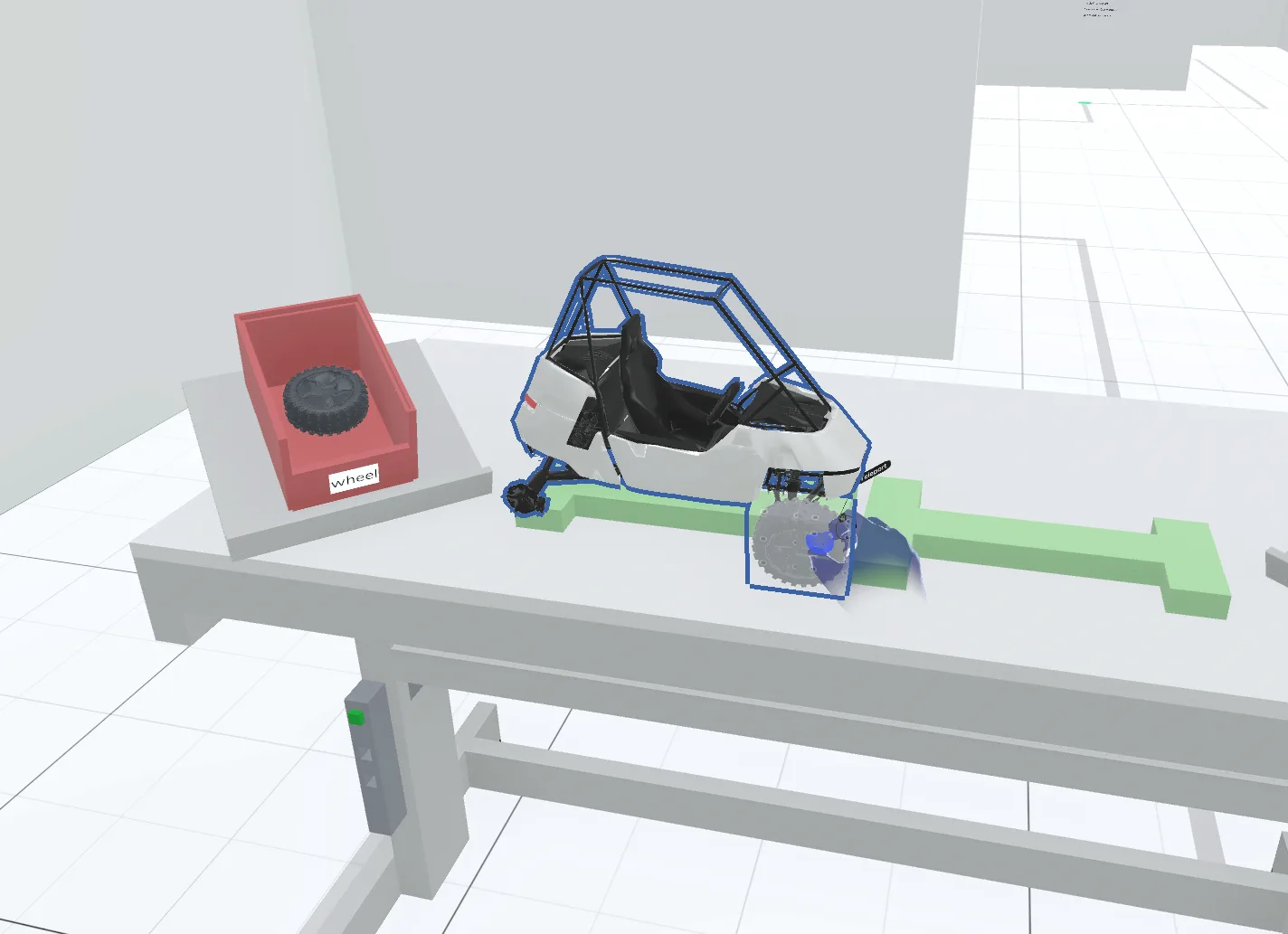
Connected objects will move together from now own, they currently cannot be separated again.
This function is only available for freely movable objects consisting of boxes or CAD imports. You cannot join load carriers and tools, or objects that are restricted or cannot be moved.
Related to