Creating gripping-space avatars in the gripping space configurator
1 min read
- Professional
- Desktop
You can create your own reach distance avatars to check your planning with different body heights. You can also change the dimensions of the reach distances to apply other ergonomic guidelines.
Instructions#
- In Halocline Desktop, select the Library tab.
- Click the Plus on the right to add elements.
- Select "Reach Distance Avatar".
All reach distance avatars you create are listed in the library on the home screen as well as in VR.
Configuration#
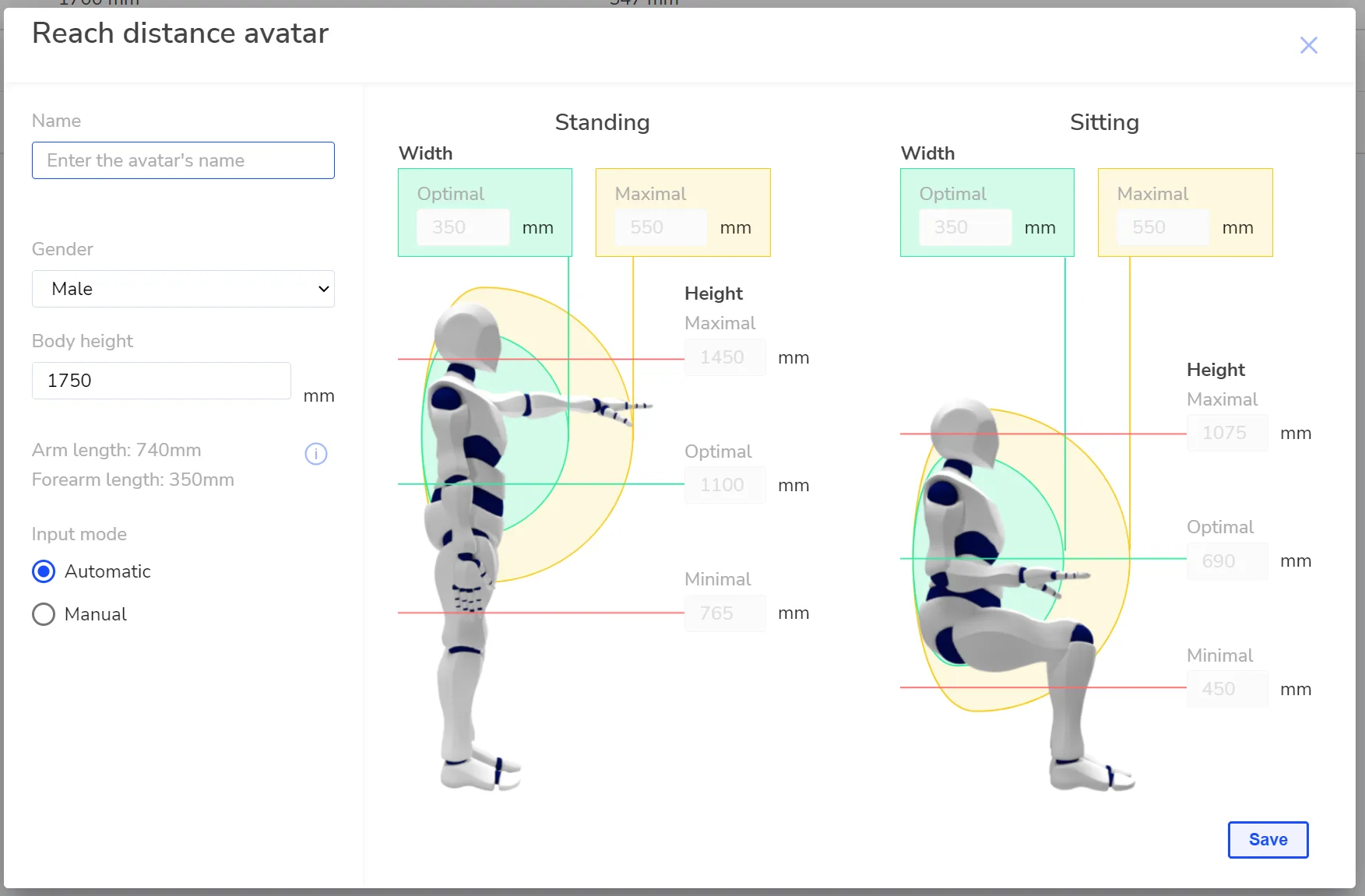
In the left column of the configurator, you can set the name of the avatar, the gender, and the body height. On the left, you'll see a preview of the values the models will be created with.
Visualizations#
Automatic Fill: The dimensions of the reach distance spheres and the heights of the work planes are calculated automatically according to the DIN 33402-2 and DIN EN ISO 14738:2009-07 standards and cannot be edited.
Manual Entry: Select this option to change the values of the visualization. Specify the optimal and maximum working range (forward reach) and define the preferred working height (work planes).
Related to