Renaming objects with the VR keyboard
1 min read
Available in
- Desktop
Function#
The rename function allows you to give a name to objects such as load carriers, CAD-files and boxes.
The name is displayed when you point to a named object with the select tool.
If a named part is assigned to a load carrier, the name of the part appears directly on the load carrier.
Instructions#
Rename#
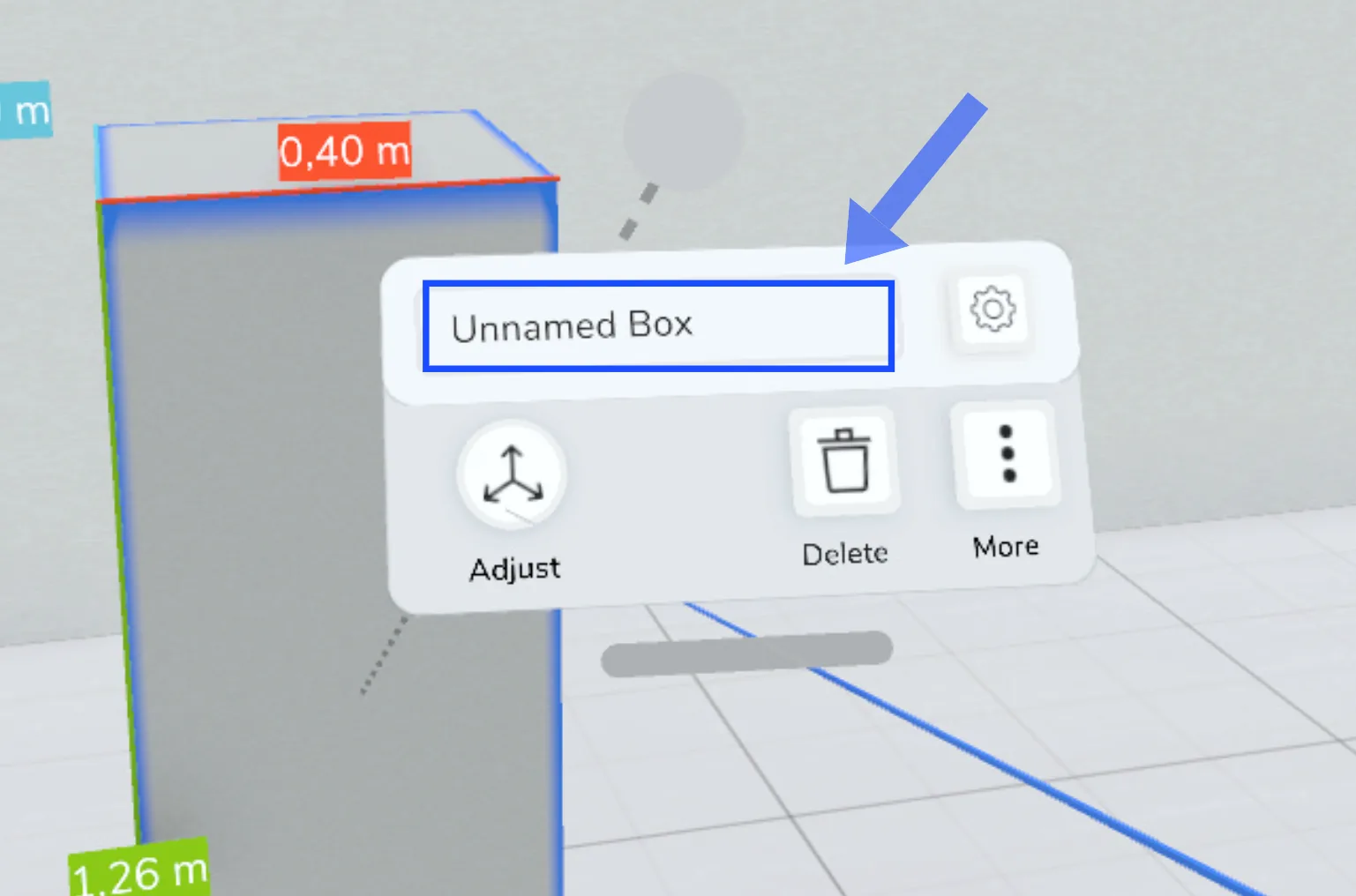
- Select an object with the select tool.
- Click the text field in the context menu.
- A keyboard appears in front of you, which you can operate with the two sticks on your controller. Tap the keys with the sticks.
- Confirm the entered name with the blue tick.
Tips: Keyboard handling#
- You can operate the keyboard by tapping the keys with the sticks. You don't need to press any additional buttons on the controller.
- The most comfortable way to operate the keyboard is to imagine that you are drumming on the keyboard with the sticks.
- You can use the "paste" function to insert e.g. longer names from your Windows clipboard.
- With the "clear" function you can delete the entered name to enter a new one.
- With the red button you can cancel your input.
Related to