Changing the language in Halocline Desktop
1 min read
Available in
- Desktop
In the Halocline Desktop App, you can switch the language between German and English.
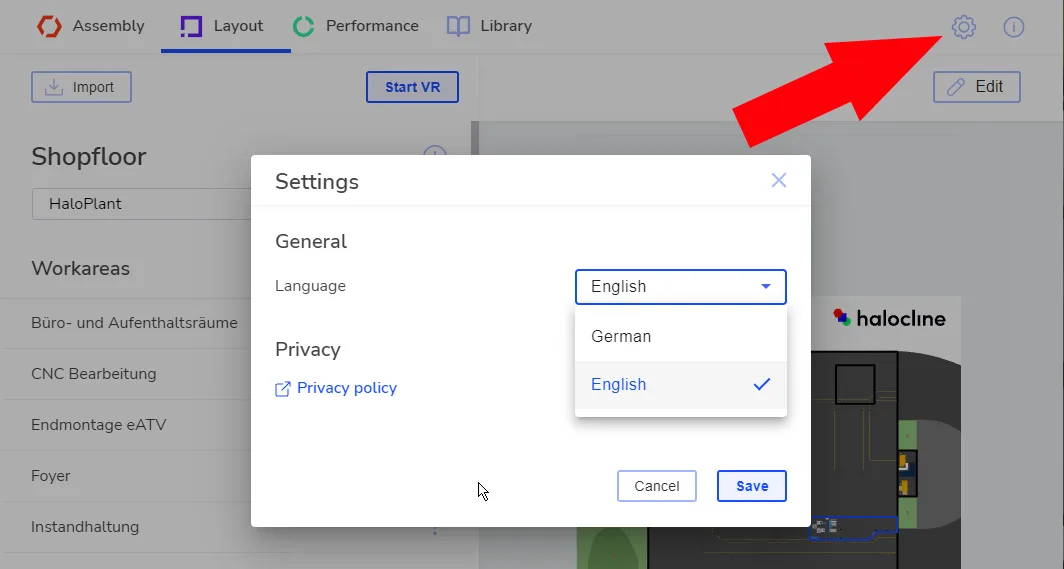
- Open Settings: Click on the gear icon in the top right corner of the app.
- Select Language: Find the language option and choose your preferred language (German or English).
The change will take effect immediately, and the interface will display in the selected language.
Note: The language can only be changed in the Desktop App. You must exit the VR App to change the language.
Related to