Halocline 2025.3: 2D preview images in the library
1 min read
We are starting to revamp the library with new preview images. Now in 2D, but with all the details, even for your imported CAD files!
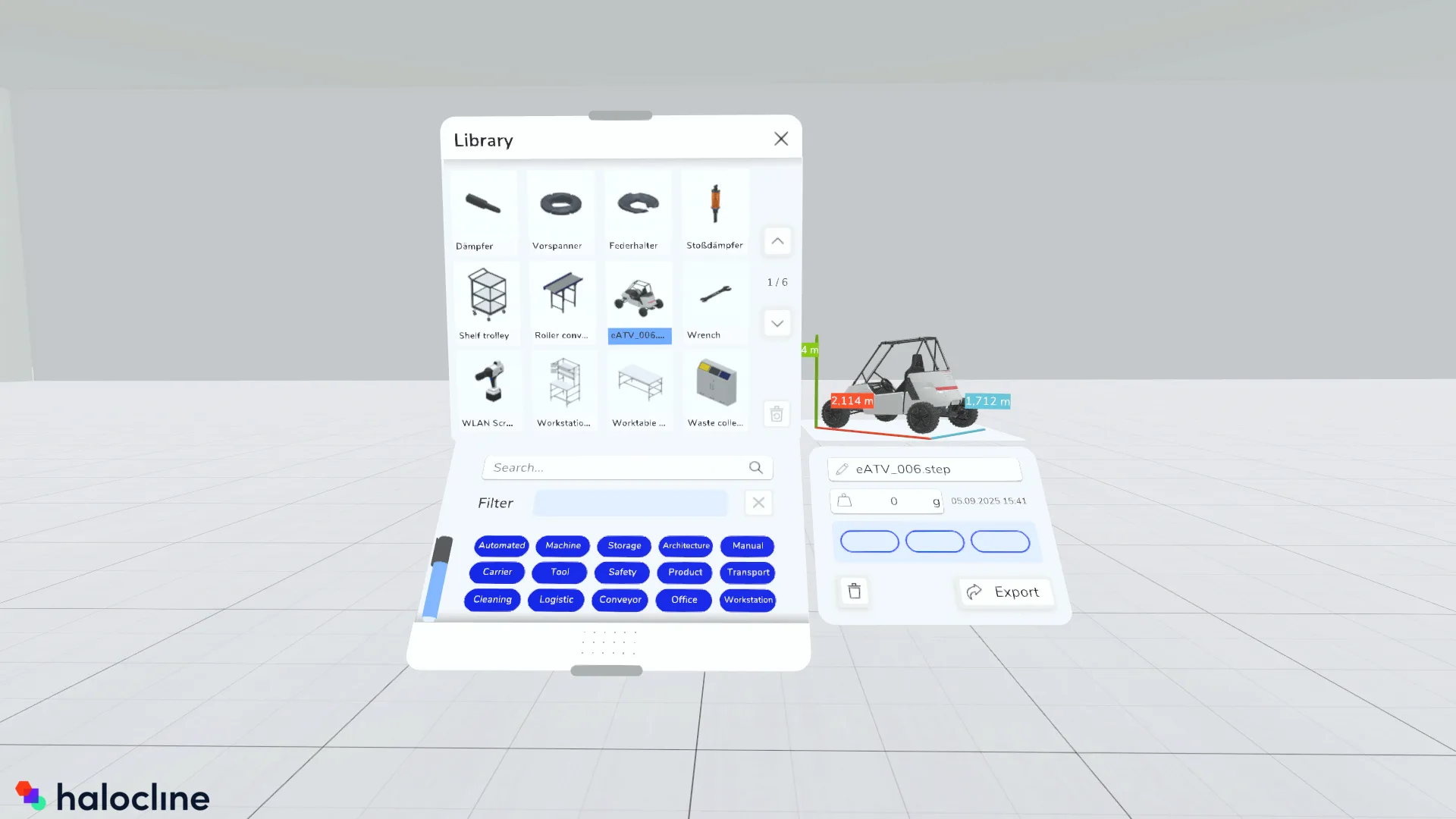
Detailed previews in the library#
The preview of the elements in your library are now 2D images. This means that imported CAD data can also be displayed in detail and recognized at first glance.
Reach distance avatar settings in the context menu#
From now on, you will find the settings for the different visualizations of reach distance avatars in the context menu. This means that you no longer need to select the reach distance avatar tool to change them.
Select an avatar and open the properties window in the context menu. There you can switch between sitting and standing and select the visualization of work heights or reach distance spheres.
Visualization of recordings on the desktop#
You can now also start Performance explicitly in desktop mode. As before, you can open the playback window and view existing recordings. In addition, you can now also display and export the visualizations and analyses.